Home / Portfolio / Case Study / Data Engineers /

Global POS Sales Analysis Sales Analysis Dashboard

Industry

Retail

Region

United States

Project Size

Non-Disclosable

Overview

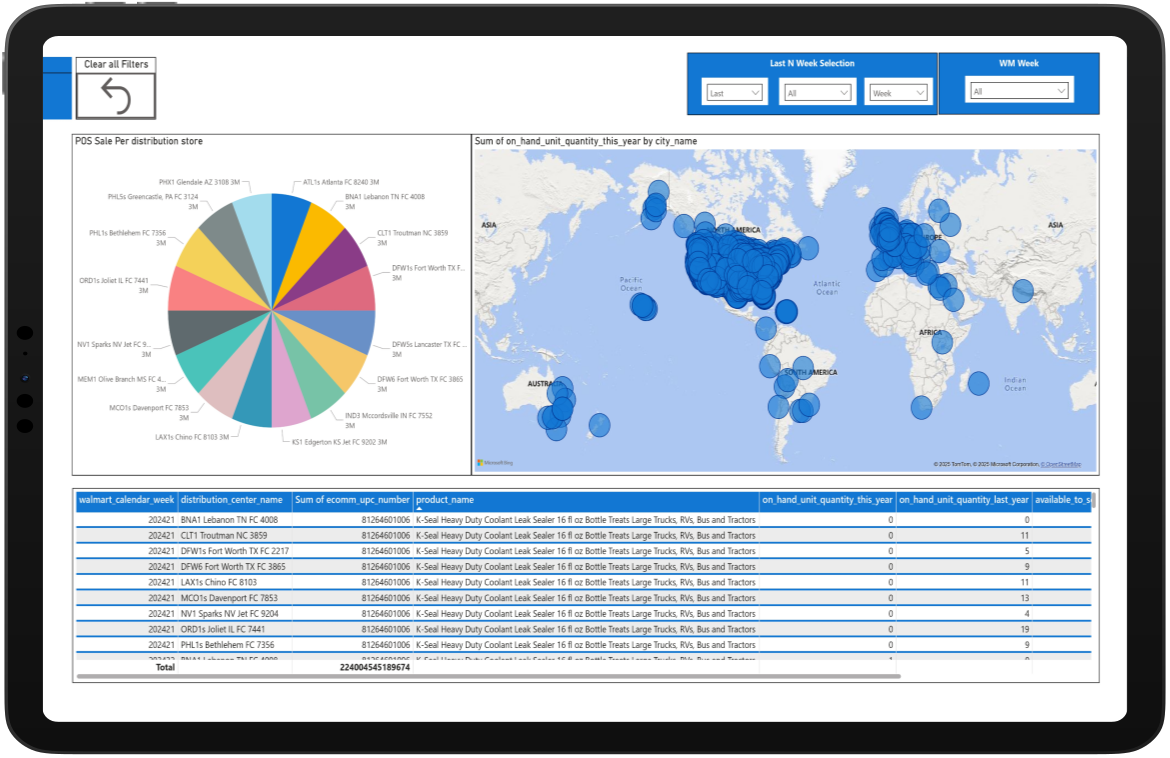
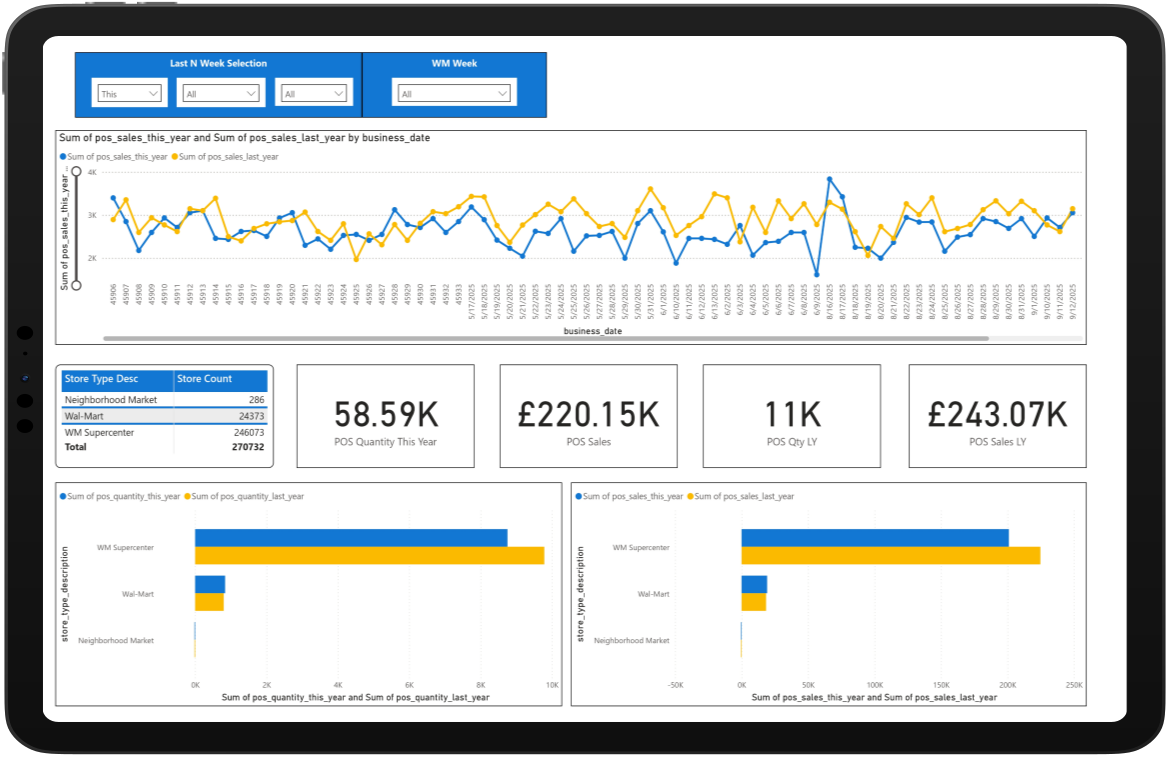
We built an interactive Power BI dashboard for a multi-store retail business to analyze sales, POS transactions, and inventory data. The raw data was cleaned, transformed, and modeled to create KPIs for sales trends, store performance, and stock availability. The report compares time-based performance and product demand across locations. It helps management quickly monitor operations and make data-driven decisions.

Core Feature

Transforms retail sales, POS, and inventory data into interactive business insights.

Technologies

Built with Industry-Leading Tools

Power BI
Python
DAX Calculation
Google Sheets
Power Query
Cloud Run

Outcomes

Reduced manual reporting and Excel work for the business team.

Improved visibility of inventory and stock availability issues.

Supported better operational and inventory planning.

Increased reporting accuracy and data reliability.

Allowed management to make quicker data-driven decisions.

Helped detect sales decline or growth patterns early

The Challenges

01

POS Data Processing Delays

Handling large volumes of retail transaction and POS data which slowed report performance.

Advanced DAX Calculations

Building complex DAX measures for KPIs such as sales growth, YoY comparison, and stock availability.

02

Power BI Performance Optimization

Optimizing dashboard performance and reducing loading time in Power BI.

03

Accurate Inventory & Store Metrics

Ensuring data accuracy while calculating inventory and store-level performance metrics.

04

Solution by Datumquest

Collected and integrated raw retail sales, POS, and inventory data from multiple sources.

Cleaned and standardized the data using Power Query (removed duplicates, handled missing values, fixed formats).

Built DAX measures and KPIs such as total sales, YoY growth, quantity sold, and stock availability.

Developed an interactive Power BI dashboard with filters, slicers, and drill-down analysis.

Payroll & Workforce Dashboard

An interactive dashboard to track employee payroll, working hours, and performance metrics. It provides quick insights to monitor workforce activity and support better decision-making.

Workforce Performance Dashboard

This dashboard provides a clear overview of employee performance, working hours, and key operational metrics through interactive visualizations. It helps organizations monitor workforce productivity and make informed decisions using centralized data insights.

Employee Attendance Dashboard

This dashboard provides insights into employee attendance, working hours, and daily activity trends. It helps organizations monitor workforce availability and improve operational planning.

Employee Leave Management Dashboard

This dashboard provides detailed insights into employee leave, sick hours, and absence patterns across the organization. It helps track leave balances, monitor workforce availability, and identify trends in employee time off. The interactive visuals enable managers to better plan staffing and maintain operational efficiency.

How Datumquest is Making an Impact

Image
Michael Reynolds
Head of Customer Experience
Image
Robert Kim
Director of Customer Success
Image
James Carter
Product Operations Manager

Datumquest specializes in AI, automation, data science, and analytics, helping businesses unlock data-driven insights and streamline operations.

Newsletter

Email

© 2025 Datumquest. All rights reserved. A Thinkwik Company.